Every order and every shilling, accounted for.
Orders go from the table to the kitchen and bar, and the cashier sees what every waiter owes.

Built for the floor
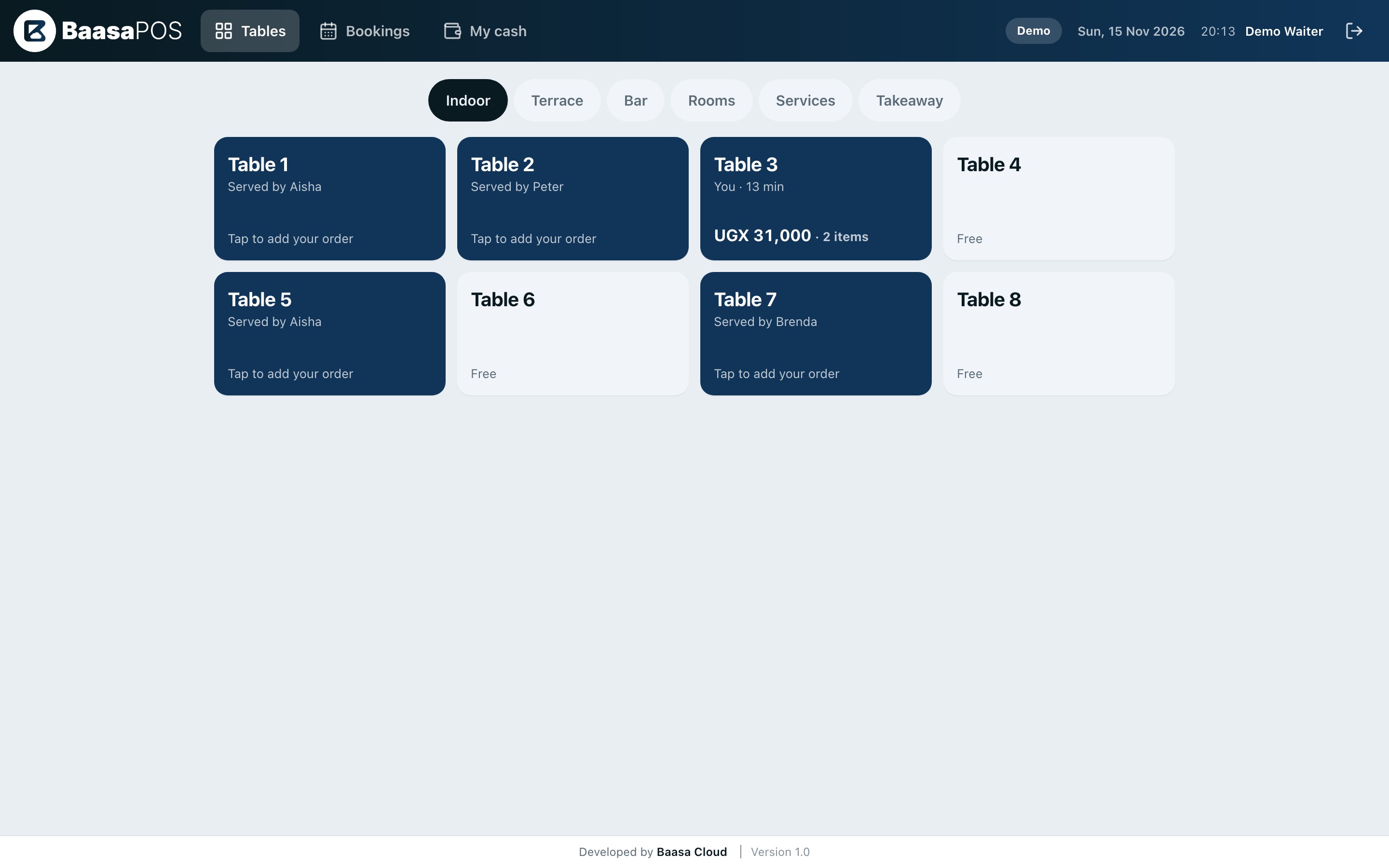
A screen for each person
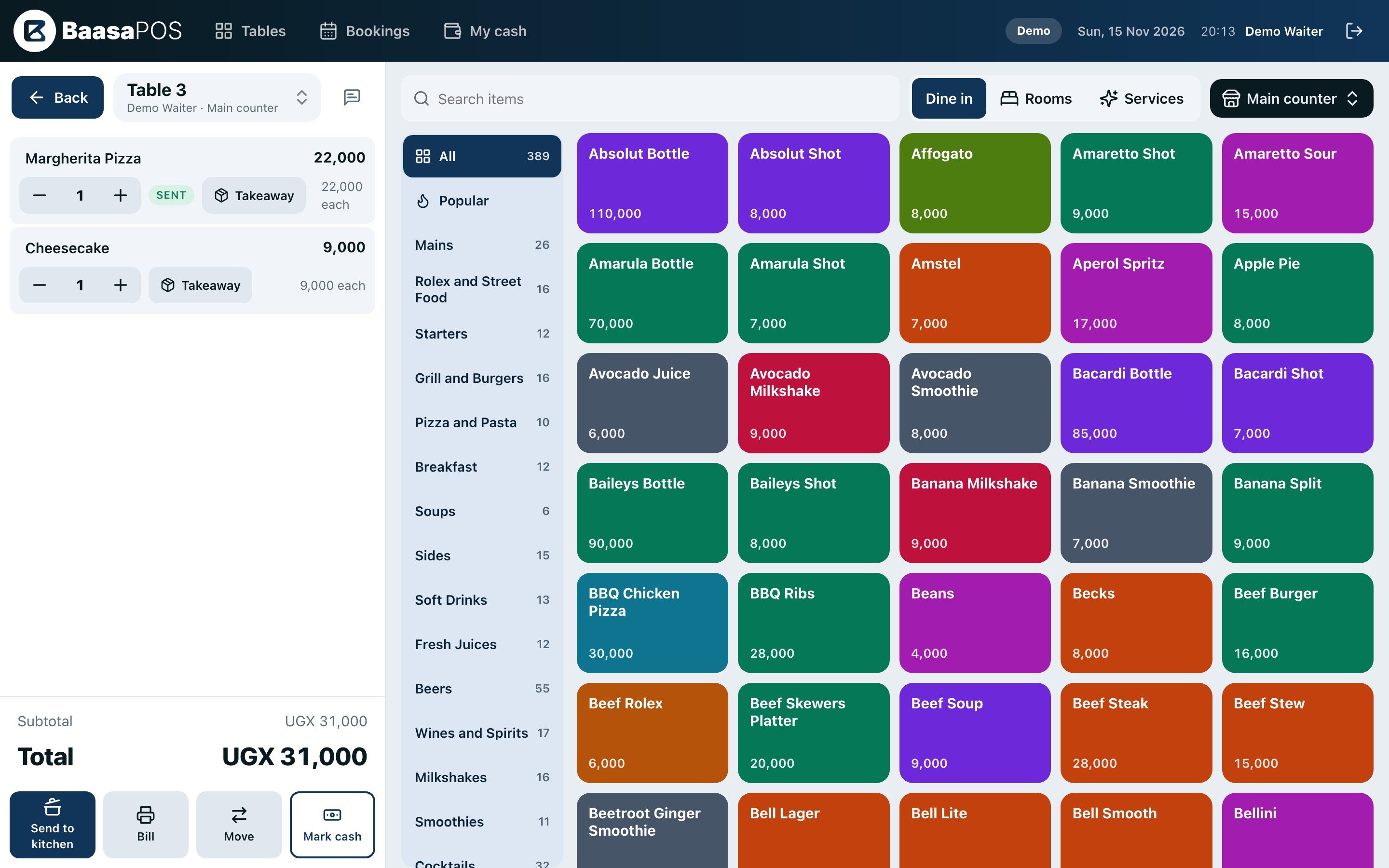
Waiter
Takes orders for their own tables and sees nothing of a colleague's order.
- Popular items lead every category
- Add takeaway to any item
- Mark cash received as a private record
- Alerts when food is ready to serve
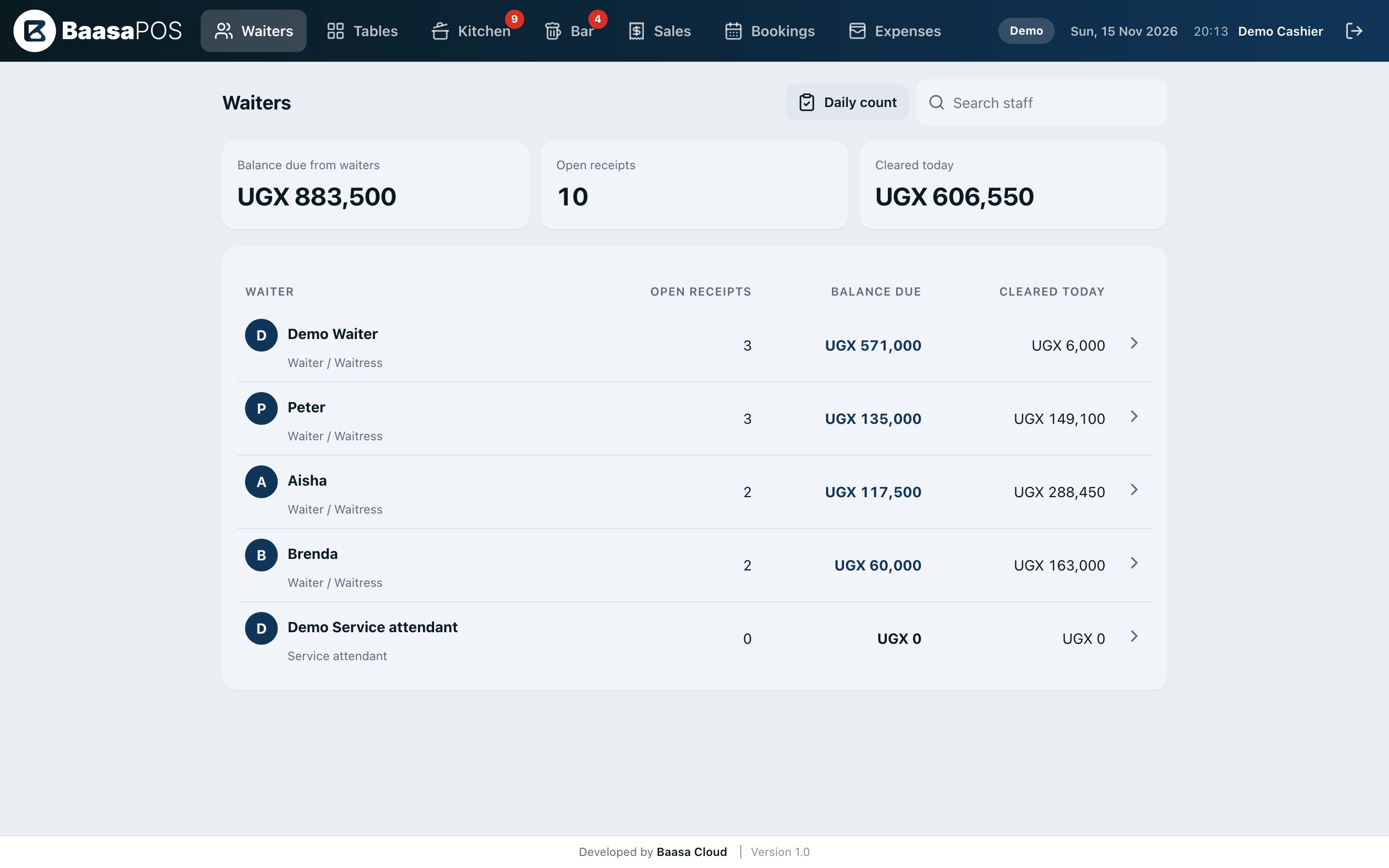
Cashier
Collects from waiters and clears receipts, and can take orders at the counter.
- Balance due for every waiter
- Clear one receipt, or receive all in cash
- Add items under any waiter
- Discounts, voids and receipt reprints
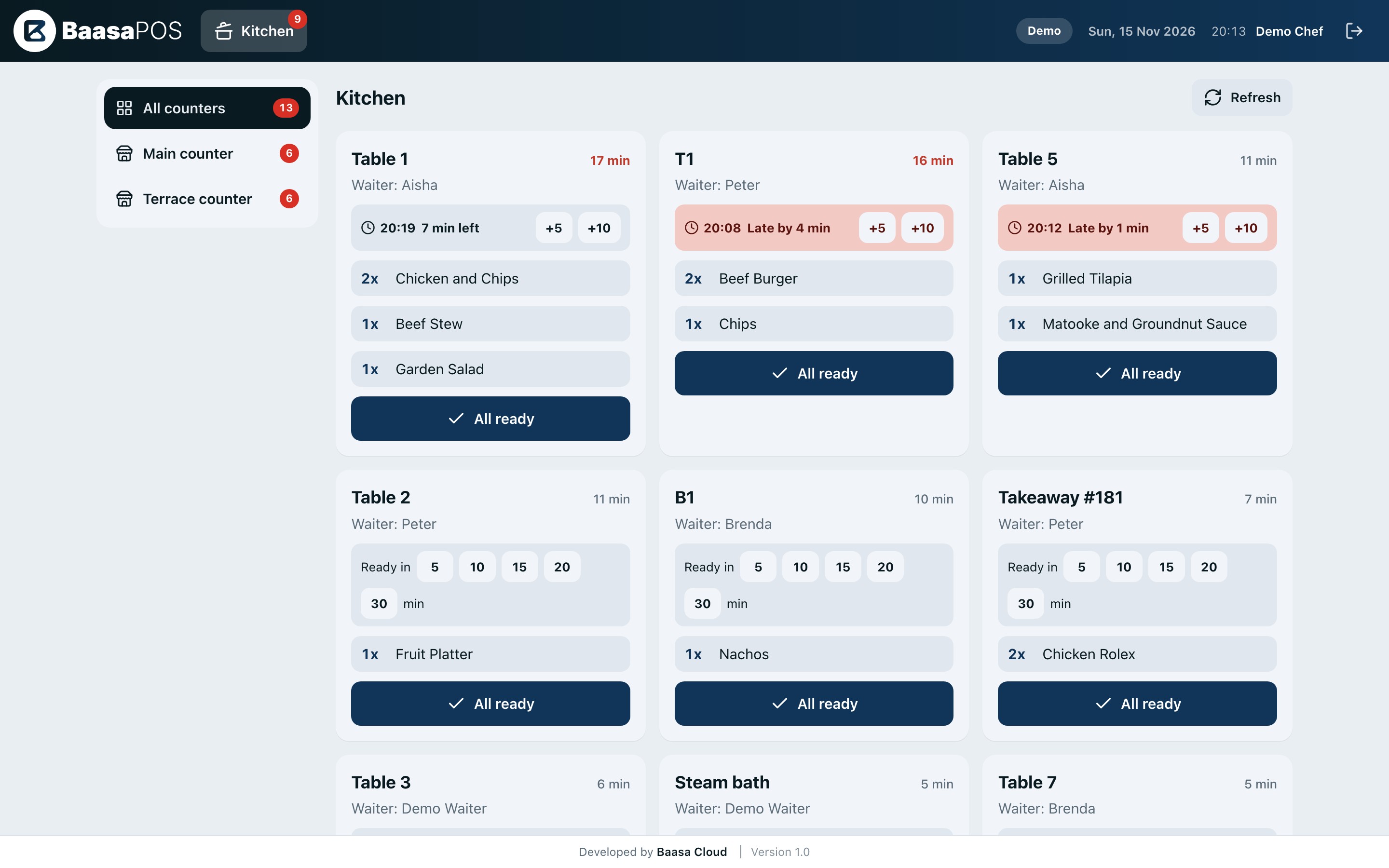
Kitchen
Sees only food orders, oldest first, with the waiter's name.
- Orders arrive as waiters send them
- Tap an item or the whole order when ready
- The waiter is alerted straight away
- Takeaway items are marked
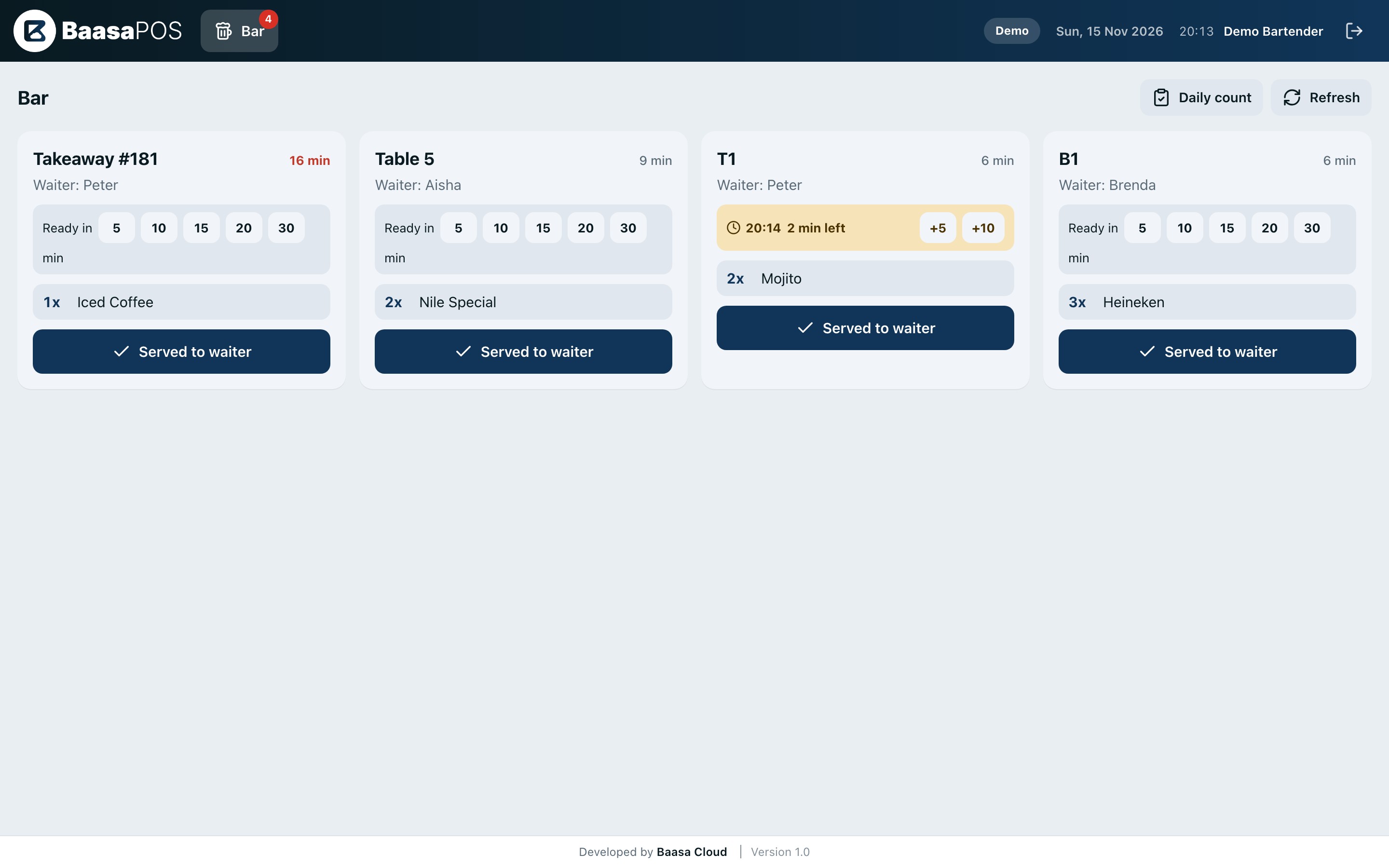
Bartender
Sees only drinks, from soft drinks to cocktails and spirits.
- Shakes, cocktails, beers and spirits go to the bar
- Mark drinks served to the waiter
- Every handover is recorded
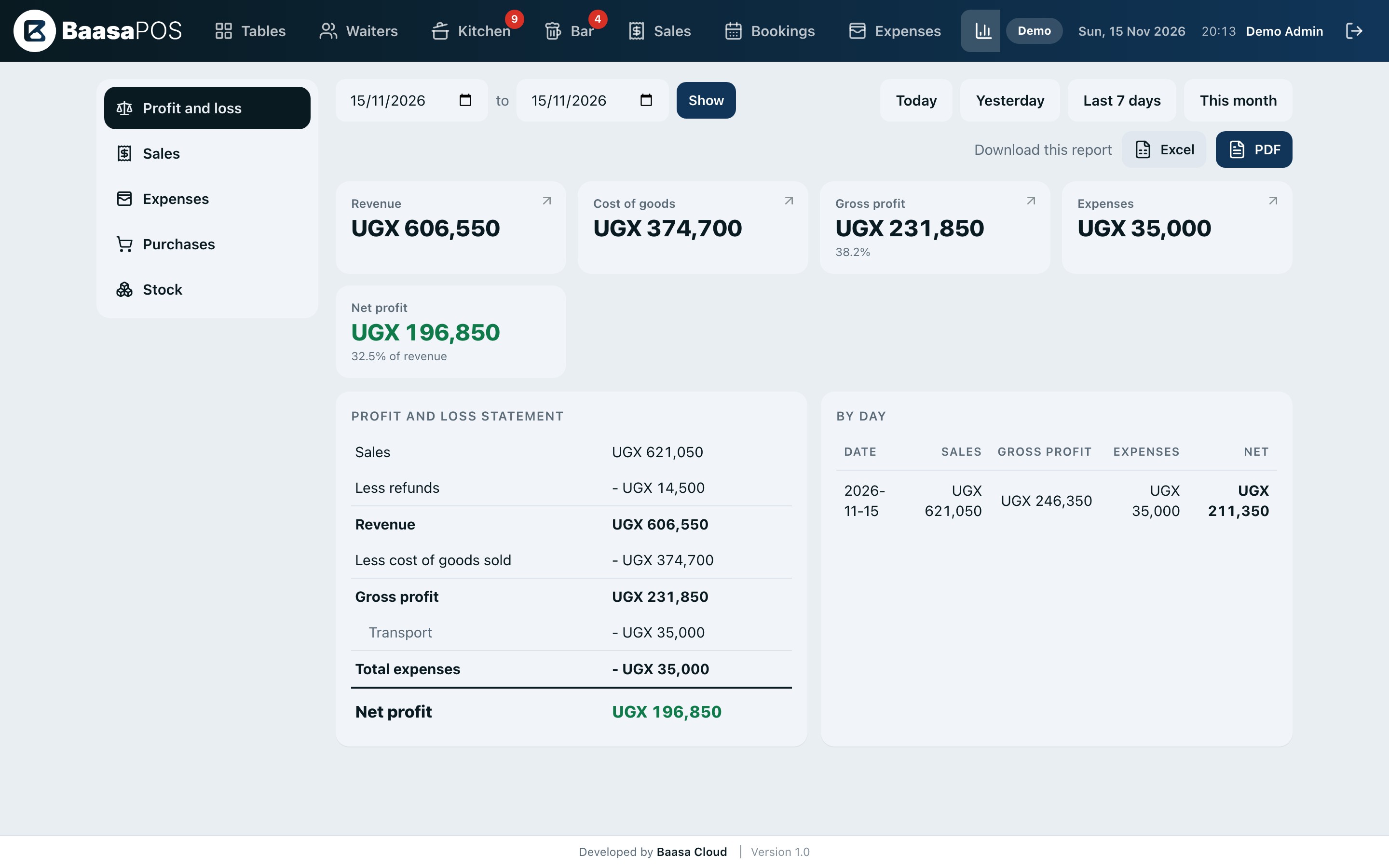
Admin
Runs the business and sees every order.
- Menu, tables and staff
- Reports with Excel and PDF downloads
- Takeaway packaging fee
- A full view of every table and waiter
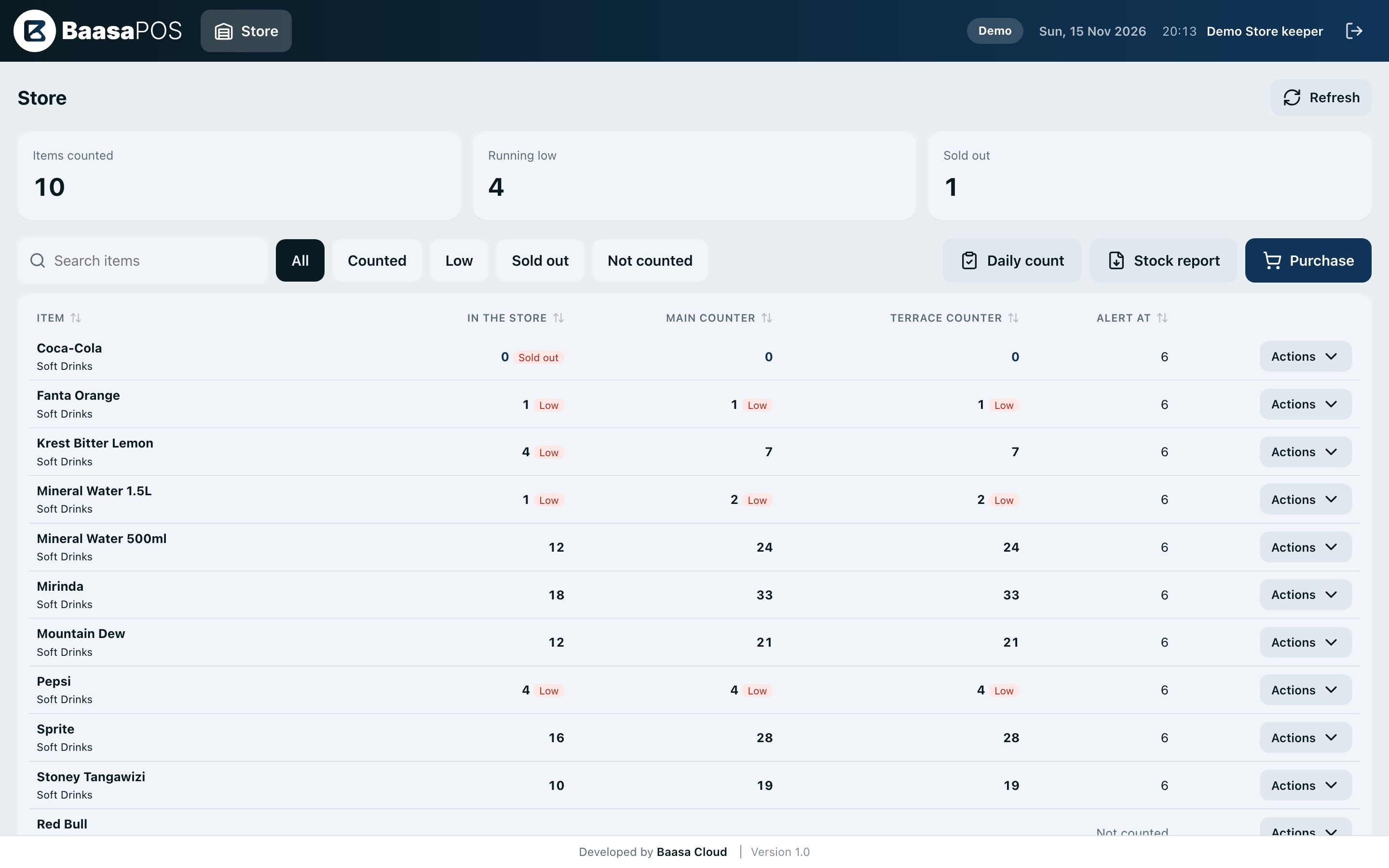
Store manager
Receives every item into the store and gives it to the counters.
- Record deliveries with cost and supplier
- Give stock to each counter
- Move stock between counters
- Count the store and see every counter's balance
Made for how you trade
Reports as Excel and PDFSales, purchases and stock, ready to share or print.
Receipts for small POS printersPrints on 80 mm or 58 mm rolls, sized to the receipt.
Stock and countersCount items, get low stock alerts and send orders to the right counter.
Rooms and servicesBill rooms, sauna, steam bath, gym, swimming and spa next to food and drinks.
PIN sign inEach person signs in with their own PIN. No passwords to forget.
From the table to the till
Waiter takes the orderOn a phone, tablet or till.
Kitchen and bar prepare itEach sees only their own items.
Waiter serves the tableAn alert says when food is ready.
Cash goes to the cashierWaiters keep a record of what they collected.
Cashier clears the receiptBalances drop as each receipt is cleared.
Questions
Does it work without internet?
Installed on a till computer it keeps taking orders and payments with no internet. When the connection returns it syncs to your online system on its own.
How much does a POS system cost?
Baasa POS starts from UGX 120,000 per month, UGX 1,500,000 per year, or UGX 5,700,000 once for lifetime use. Setup is free.
Can we use phones?
Yes. Waiters can take orders on a phone, and the cashier, kitchen and bar screens suit a tablet or a till screen.
Does it suit bars and hotels?
Yes. Drinks go to a bar screen and food to the kitchen screen, and any number of waiters can serve the same table with their own orders.
Can it bill rooms, the sauna, the gym and the pool?
Yes. Rooms, sauna, steam bath, gym, swimming, spa and other services are sold like any item. Open a room or wellness area like a table, add the nights and sessions along with meals and drinks, and settle everything on one bill at check-out.
Which printers work?
Any receipt printer your computer can print to. Choose 80 mm or 58 mm paper in Setup.
Can many waiters work at the same time?
Yes. Several waiters can serve the same table, each with their own order, and nobody sees or edits another waiter's order.
Can I try it first?
Yes. Use View demo, choose a role and you are signed in straight away.
Order the system
Tell us about your business and we will call you to set it up. Setup is free.
